Drink Factory Simulator Controls & Factory Interaction Tips
Build reliable hands for mixing, analysis, pallets, and delivery gates.
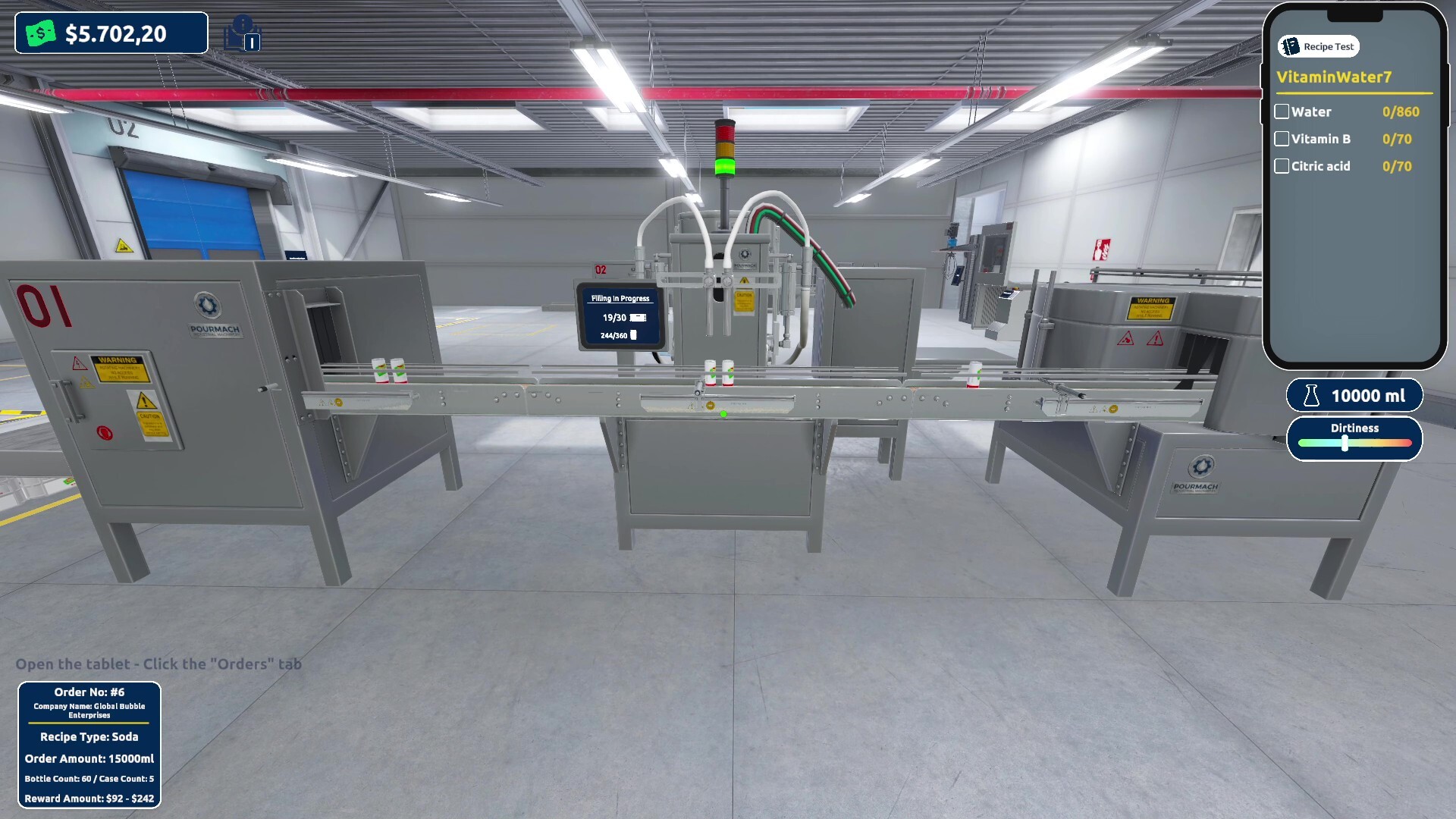
Drink Factory Simulator controls mindset
Drink Factory Simulator is less about memorizing a forty-key combosheet and more about reliable factory hands: move cleanly, interact once with intention, carry without blocking friends, and leave Analysis Mode without dumping a half-edited 90% ratio. Exact keybinds can vary with Steam Input profiles and Early Access patches after August 13, 2026, so this guide focuses on how to get control of the job — the habits that prevent “I misclicked sterilize empty” disasters.
Use it with Getting Started on night one, and keep Production Line nearby when your feet are the real bottleneck.
First five minutes: bind confidence
- Open the in-game options on Steam and note movement, interact, sprint/walk toggle if present, and menu keys.
- Confirm you can pick up and place items without accidentally starting the wrong machine sequence.
- Enter and exit Analysis Mode twice before you spend serious ingredients.
- Walk the route from mix/blend to sterilize to fill to pallet staging to delivery gates so muscle memory matches the floor plan.
- If you play with a controller, test precision on ratio adjustments — percentages totaling 100% punish clumsy sliders.
Minimum PC reminder if input feels fine but frames do not: Windows 10, i7-6700K or Ryzen 3 1200X, 4 GB RAM, GTX 960 4 GB, 8 GB storage.
Interaction hygiene (solo)
Look before you interact
Factory sims create dense click magnets. Face the station you mean to use. If a pallet and a machine overlap in your screen space, step aside until the prompt matches your intention. Many “broken machines” are wrong-target interactions.
One job per trip
When you leave the mixer for sterilize, finish that handoff before you detour into a new Analysis Mode brainstorm. Context switching with full hands is how bottles vanish into mystery corners.
Put things down on purpose
If you must open a menu or answer a co-op question, place carried goods in a safe staging tile first. Emergency drops in doorways become invisible traps for future-you — or for friends.
Sprint with routes, not vibes
Sprint is for known clear aisles. Sprinting through a cluttered fill zone creates the same failures as bad pathing AI. After you redesign a layout in Production Line, walk it slowly once before you speedrun gates.
Analysis Mode control tips
Analysis Mode is where recipes are born (Recipe Discovery). Control mistakes here are expensive.
- Adjust one primary variable at a time when you are close to a solution.
- After every edit, verify the on-screen ratios still add to 100% before you commit a test.
- Do not leave Analysis Mode mid-edit to chase a delivery unless you saved or memorized the draft; unfinished 100% math causes ghost bugs in your notebook.
- If using a stick-controlled cursor, make smaller movements near final percentages; overshooting from 12% to 20% teaches the wrong lesson about an ingredient.
Production-floor control patterns
Mix / blend
Approach from the same angle every time so your interact prompt stays predictable. When co-op partners share the station, call “on mix” so two people do not yank the same control narrative.
Sterilize / fill
These mid-chain stations punish hesitation and double inputs. If a machine is already processing, wait for the state change instead of mashing interact. Watch the infeed: interacting faster than the line can swallow only creates drops.
Pallets
Carry paths should be boring. Use wide lanes. Set a personal rule: no new analysis until the pallet in your hands is either staged or delivered. This single rule fixes a shocking percentage of failed orders.
Delivery gates
Line up squarely; confirm the prompt is the gate, not a nearby prop. In the last fifteen seconds of a timer, precision beats creativity.
Co-op control agreements
Online co-op supports up to three friends. Controls become social contracts:
- Call targets — “taking filler two” prevents tug-of-war.
- No silent ratio edits — announce Analysis Mode changes before production restarts.
- Logistics has right of way in gate aisles during active deliveries.
- Pause experimental clutter — do not leave failed test containers in shared lanes.
- Shared keybind talk — if one friend rebinds interact keys, say so before the shift.
Practice these agreements in the free Prologue Walkthrough (app 4738020, first four levels) even if you start solo narration.
Accessibility and comfort settings
During Early Access (planned about 6–12 months of updates), expect options to evolve. Prioritize:
- Camera sensitivity that lets you inspect machine states without nausea.
- UI scale readable while standing at fillers.
- Audio cues if available for machine completion — ears cover what eyes miss in a busy plant.
- Frame pacing; choppy frames forge false inputs.
Steam is the platform to watch for official rebinding support and community layouts.
Troubleshooting “bad controls”
| Feeling | Likely cause | Fix |
|---|---|---|
| Machines ignore me | Wrong prompt target / busy state | Reposition, wait for cycle |
| Ratios feel random | Accidental multi-slider changes | Edit one value; recheck 100% |
| Co-op desync vibes | Two players on one station | Assign roles, call ownership |
| Late deliveries | Carrying while distracted | Hands-free before menus |
| Fatigue mistakes at night | Day/night pressure | Slow down, clearer aisles |
Remember: there are no official cheat codes that skip interaction skill. Comfortable hands are part of progression.
Training drills
- Empty-hands lap — Walk mix → sterilize → fill → gate three times without carrying anything; learn the geography.
- Loaded lap — Repeat with a pallet; notice where you clip corners.
- Analysis in-and-out — Enter Analysis Mode, change nothing, exit cleanly five times to kill menu fumble.
- Co-op mirror — Partners swap roles mid-shift using only voice calls, no pointing at keybinds.
Where controls meet the rest of the wiki
- Whole loop: Getting Started
- Lab precision: Recipe Discovery
- Station flow: Production Line
- Timer movement: Orders and Deliveries
- Free practice: Prologue Walkthrough
- Buy/pass context: Review Overview
- Index: Guides Hub
Future systems like storefront sales and open-world trucks to port/airport hubs will add new interaction surfaces. If you already practice clean prompts, clear hands, and 100% ratio checks, those expansions will feel like new stations — not a new genre. That is how to get control of Drink Factory Simulator for the long Early Access haul.
Frequently Asked Questions
Quick answers about recipes, factory lines, and Early Access.
Where do I rebind Drink Factory Simulator controls?
Use the in-game options and Steam Input as available. Exact keys can change during Early Access, so verify binds after major patches.
Why do I keep interacting with the wrong machine?
Reposition until the prompt matches your target and avoid sprinting through cluttered overlapping stations.
Any special tips for Analysis Mode inputs?
Edit one main variable at a time when close, and always confirm ingredient percentages total 100% before testing.
How should co-op players avoid control clashes?
Call station ownership out loud, freeze silent recipe edits, and give logistics right of way in delivery aisles.
Do I need a high-end PC for responsive controls?
Meet at least the minimum specs (Win10, i7-6700K or Ryzen 3 1200X, 4GB RAM, GTX 960 4GB, 8GB storage). Stable framerate prevents a lot of false misclicks.