Drink Factory Simulator Tools Hub
Checklists and planners that keep recipes, cash, and hardware honest.
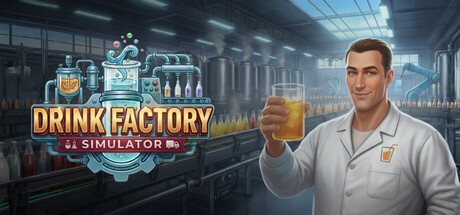
Guides teach you how Drink Factory Simulator works. This Tools Hub helps you run the plant with fewer sticky notes on your monitor. Use these pages when you need a checklist, a spend planner, or a quick PC readiness check before inviting friends.
The game’s core loop — Analysis Mode recipe discovery with ratios totaling 100%, production lines, orders and deliveries, economy, day/night, workers, and repair — creates a lot of tracking debt. Tools here exist so you spend brainpower on decisions, not memory.
Tool pages
- System Requirements — Minimum PC specs, what they mean in practice, and co-op performance notes.
- Recipe Checklist — Capture discovered formulas, margin guesses, and which SKUs deserve line time.
- Economy Planner — Wage, upgrade, and order timing framework so cash survives the night shift.
When to open which tool
Before first boot: System Requirements. Confirm Windows 10, CPU in the i7-6700K / Ryzen 3 1200X class, 4GB RAM, GTX 960 4GB+, and 8GB storage. This matters even more for online co-op with up to three friends.
During Analysis Mode sessions: Recipe Checklist. Log successes immediately; Early Access will throw enough new ingredients over 6–12 months that memory fails.
Before big upgrades or hiring: Economy Planner, then cross-check Upgrade Priority Hub, Early Game Priority, and Machine Upgrades.
How tools connect to guides
New players should still read Getting Started, Recipe Discovery, Production Line, and Orders and Deliveries. Tools do not replace those deep dives — they operationalize them. Prologue learners can practice the checklists across the free four levels (app 4738020) before Demo (4341340) or main EA (3913840).
Co-op lobbies should put the Dock lead on Economy Planner and the Research lead on Recipe Checklist. Setup details live under Co-op Setup and the Multiplayer Hub.
Release context
Agosto Game Studio and PlayWay plan Steam Early Access on August 13, 2026. Later systems — retail store, open-world truck deliveries toward port and airport — will expand what you track. Until they ship, keep planners focused on the live loop; watch Roadmap and Early Access so you do not build spreadsheets for missing features.
What you will not find here
- Official cheat code generators — none exist.
- Guaranteed “perfect” ratios for every future SKU — discovery is the gameplay.
- Illegal trainers or cracked tools — only planning aids.
For storefronts and community destinations, use Links Hub and Official Links. For narrative expectations, see Review Overview and Guides Hub. Patch-facing changes land in Updates Hub.
Bookmark this hub beside your factory save. When a night shift goes sideways, you want a checklist — not another panic sprint across the wrong guide.
Frequently Asked Questions
Quick answers about recipes, factory lines, and Early Access.
Are these in-game tools or wiki planners?
Wiki planners and checklists you use alongside the game. They help track recipes, cash, and PC readiness during Early Access.
Which tool should I open first?
System Requirements before playing or hosting, then Recipe Checklist once Analysis Mode starts paying off.
Do these tools spoil official recipes?
No. Drink Factory Simulator expects you to discover ratios yourself. We provide structure for notes, not a full spoiler dump of every formula.
Can co-op crews share these pages?
Yes — assign Recipe Checklist to Research and Economy Planner to Dock. See Co-op Setup for role splits.